9 Professional Game Logo Templates for Instant Branding
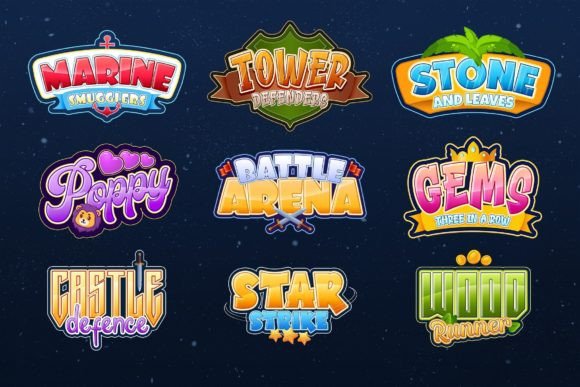
You're deep in the development cycle, or maybe you're just launching a new gaming channel. You have the gameplay, the strategy, and the community, but you are missing that one crucial visual anchor: the logo. Commissioning a custom design can cost hundreds of dollars and take weeks, but downloading a generic clipart file makes your brand look amateur. This is where a high-quality set of design assets becomes a lifesaver. We are looking at a specific collection of nine distinct Photoshop templates designed specifically for the gaming industry. These are not just static images; they are fully layered, editable files meant to bridge the gap between a rough idea and a polished brand identity.
Why Visual Consistency Matters in Gaming
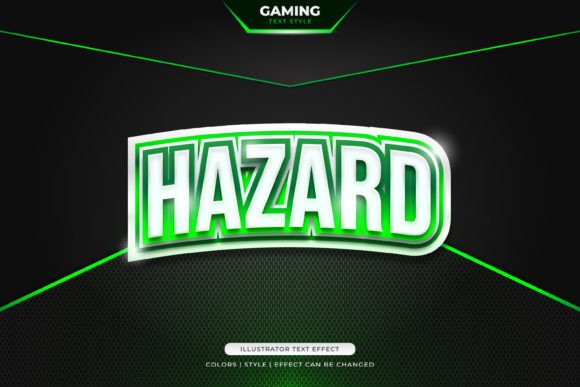
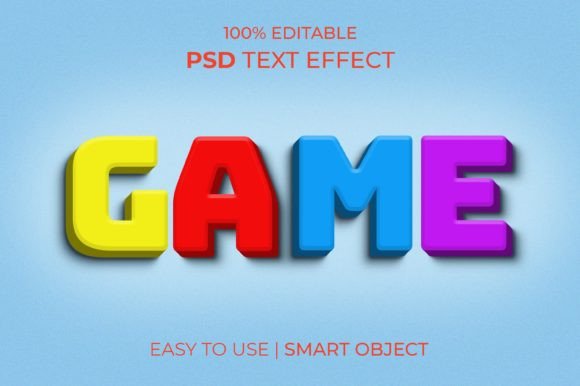
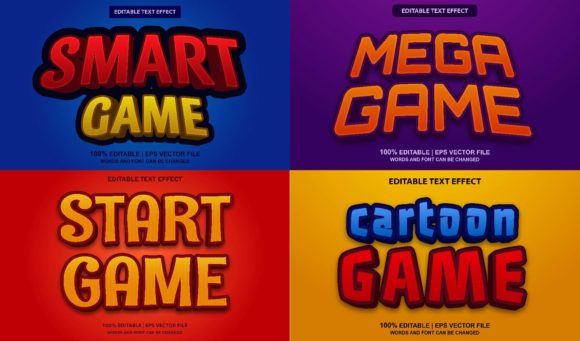
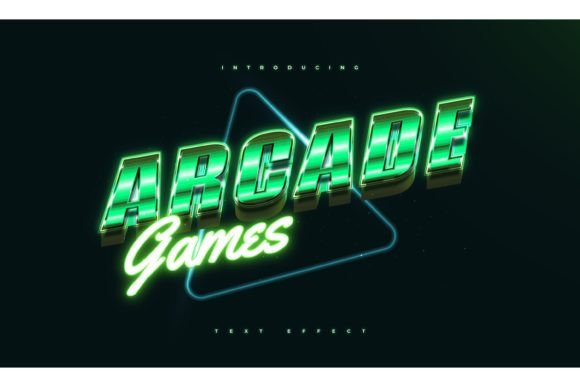
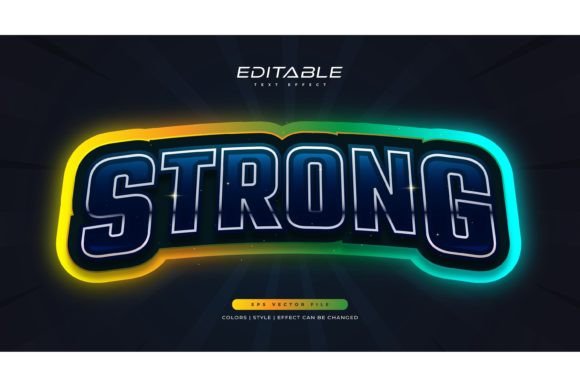
In the saturated market of gaming—whether you are selling indie titles, streaming on Twitch, or running an esports team—recognition is currency. When a viewer scrolls through a feed, they make a split-second decision based on visuals. If your logo looks crisp, professional, and genre-appropriate, you gain immediate credibility. This particular set of templates offers a variety of styles, ranging from sharp, modern sans serif designs to more aggressive, stylized displays suitable for action or RPG genres.
The real value here lies in the structure of the files. Because these are provided as PSD files with well-organized layers, you maintain total control over the brand identity. You aren't just stuck with the colors or layout provided in the preview. You can adjust the hue to match your specific team colors, tweak the kerning of the typography, or even swap out the background elements entirely. This flexibility ensures that your logo remains unique to you, even though it started as a template. It allows for the kind of visual consistency that is vital when you start expanding your presence from a simple logo to merchandise, social media banners, and website headers.
Practical Applications Beyond the Loading Screen
It is a common misconception that a logo only lives in one place. When you secure a versatile design asset like this, you are buying a toolkit for multiple platforms. Let’s break down how you can utilize these templates across different mediums to maximize your investment.
Digital Presence and Streaming: The primary use is likely your avatar or watermark. However, because the files are 3000x2000 pixels at 300 DPI, they are high-resolution enough to be used as overlay elements on stream alerts or as the centerpiece of a YouTube channel banner. The smart object functionality in Photoshop makes this incredibly efficient. You edit the text once inside the smart object, and it updates across the entire design, preserving effects like bevels, shadows, or glows automatically.
Social Media and Marketing: Consistency across platforms is key for brand recognition. You can use these logo templates to create profile pictures for Discord, Twitter, and Instagram. Furthermore, you can use the vector shapes and text layers included in the files to create cohesive marketing assets. Think about tournament announcements, stream schedules, or promotional posters. Having a "100% Editable" file means you can create a poster layout, save it, and reuse the style for future events, ensuring your audience always knows it’s your content before they even read the text.
Physical Merchandise: If you plan to sell t-shirts, hoodies, or stickers, resolution matters. A low-quality JPG will look pixelated on fabric. These templates are print-ready at 300 DPI. Once you customize the design, you can export it with a transparent background (by hiding the background layer group) and send it directly to a print-on-demand service or a screen printer. The clean lines of these logo designs ensure they translate well from screen to print, which is essential for professional-grade merchandise.
Streamlining the Design Workflow with Smart Objects
For many small business owners or content creators, diving into Adobe Photoshop can be intimidating. The beauty of these specific game logo templates is that they are designed with usability in mind. The "Smart Object" feature is the hero of this workflow. Essentially, it acts as a container within the Photoshop file. You double-click this container, type your new name or slogan in a separate window, save it, and close it. The main file instantly updates your text with all the complex styling applied to it.
This eliminates the need to manually apply gradients, strokes, or textures to your lettering. It saves hours of work and removes the technical barrier to entry. Even if you are not a graphic designer, you can achieve a professional result. Furthermore, the inclusion of a PDF help file with free font download links is a thoughtful touch. Typography is often the stumbling block for DIY design; if you don't have the font installed, Photoshop substitutes a default font, ruining the look. By providing the exact links to the typefaces used, the creator ensures your result matches the quality of the preview.
Matching Style to Genre
Not all logos fit all games. A logo suitable for a cozy farming simulator looks out of place on a first-person shooter. This collection addresses that by providing nine completely different designs. When choosing which template to use, consider the emotional tone of your project.
For horror, survival, or shooter genres, look for the templates that utilize distressed textures, sharp edges, and aggressive sans serif or display typography. These styles convey tension and intensity. Conversely, if you are branding a puzzle game, a mobile app, or a community server focused on casual play, look for the cleaner, more modern designs. Rounded shapes and smoother gradients often feel more accessible and friendly.
Don't be afraid to mix and match elements if you have intermediate Photoshop skills. You might like the layout of one template but the color scheme of another. Because the layers are well-organized, you can often drag layer styles or adjustment layers from one PSD file to another, creating a hybrid design that perfectly suits your vision.
Commercial Licensing and Long-Term Value
When utilizing design assets for a business, whether it is a game studio or a merchandise store, the license is just as important as the design. Most premium templates like these come with a license that allows for commercial use, meaning you can use the final logo on products you sell. However, it is always standard practice to review the specific terms included in the download package.
Generally, the restriction is that you cannot resell the template source files themselves. You are buying the right to use the design to create an end product, not to resell the raw materials to other designers. This is a standard and fair practice in the world of creative assets. By investing in a legitimate set of templates, you avoid the legal pitfalls of using copyrighted imagery found via search engines. You are building a brand on a solid, legal foundation.
Ultimately, this collection of game logo templates serves as a strategic shortcut. It provides the high-end aesthetic of custom design work with the speed and affordability of a DIY project. Whether you are launching a new indie title, refreshing a stream overlay, or creating assets for a marketing campaign, having these nine versatile options in your toolkit ensures you are always ready to present a professional face to the world.