Game Bundles Text Effect: Instant Visual Impact for Your Projects
Ever stared at a blank artboard, knowing your project needs that extra punch but feeling stuck on how to make your text truly stand out? You've got the perfect message, the right words, but the standard fonts just aren't delivering the visual excitement you're after. That's where a specialized design asset like the Game Bundles Text Effect comes in. It's not a traditional typeface you install; it's a powerful, pre-styled graphic treatment for your words, designed specifically for Adobe Illustrator. Think of it as a shortcut to creating those bold, eye-catching text styles you see in video game logos, energetic posters, and dynamic social media content—without spending hours tweaking gradients, strokes, and effects manually.
More Than a Font: A Design Accelerator
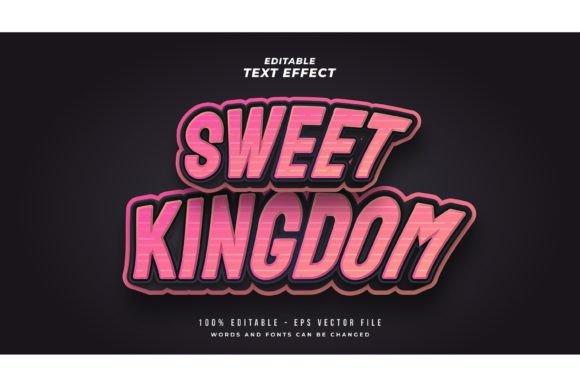
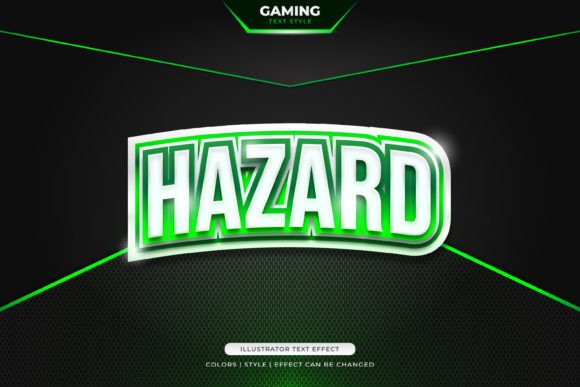
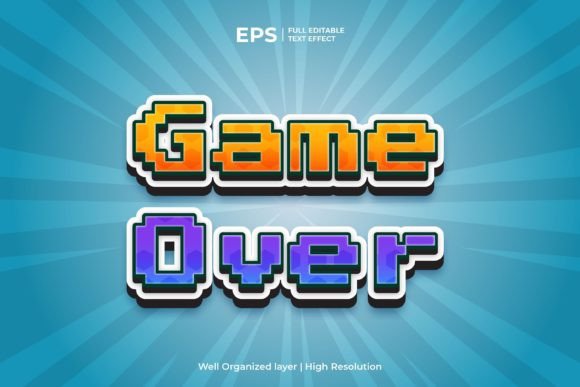
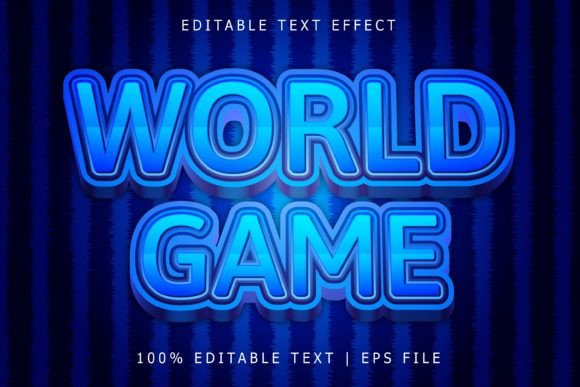
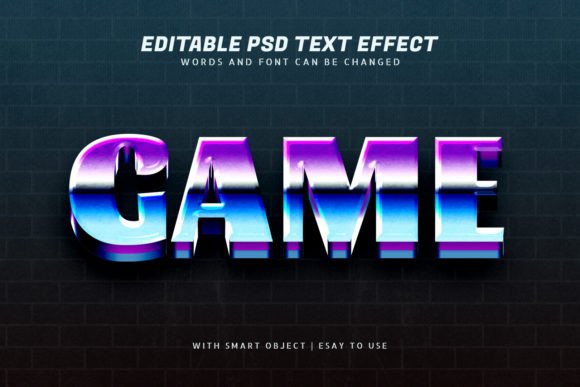
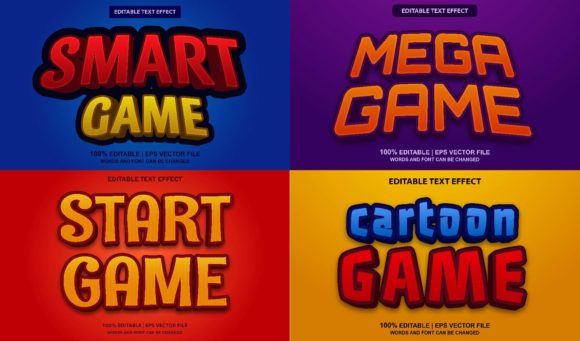
Let's clarify what this is. The Game Bundles Text Effect is a collection of four distinct EPS-style effects. When you open the file in Adobe Illustrator (CS6 or later), you don't just get letters; you get fully editable text objects with complex appearances already applied. This means layers of fills, strokes, gradients, and sometimes subtle textures are all bundled together. The "100% editable" feature is crucial here. You're not locked into the sample words shown in the preview. You can click on the text, delete it, and type your own brand name, tagline, or headline. The entire effect—be it a metallic chrome finish, a gritty 3D extrude, a vibrant neon glow, or a retro arcade style—applies seamlessly to your new wording.
This approach solves a common problem for creators at every level. For a small business owner launching a new product, it means you can create professional-looking packaging mockups or sale banners in minutes. A blogger can design a unique header image for a post about gaming tournaments that instantly communicates the topic's energy. A social media manager can generate a series of Instagram Story templates with a consistent, high-impact look. The value isn't just in the visual flair; it's in the time saved and the professional consistency it brings to a project.
Practical Applications Across Your Creative Work
So, where exactly can you deploy these text effects? The versatility might surprise you. Because the files are scalable to any size without losing quality (thanks to the vector EPS format), they move fluidly between digital and print.
For brand identity, imagine a gaming café, an esports team, or a tech startup. Using one of these effects for the main wordmark in a logo can establish an immediate sense of style and audience alignment. It communicates a modern, dynamic, and perhaps youthful vibe without a single explanatory word. Pair it with a clean sans-serif font for supporting text, and you have a balanced, professional system.
In packaging design, especially for products targeting a younger demographic or in the entertainment sector, these effects can make a product name leap off the shelf. Think about the title on a box for a new board game, a line of energy drinks, or a limited-edition snack. The visual texture adds perceived value and excitement.
Marketing assets are a natural home. Create a series of social media graphics for a product launch, event promotion, or holiday sale. The consistent use of a specific text effect across Instagram posts, Facebook covers, and Twitter banners builds visual recognition. For print materials like posters for a local gaming tournament, flyers for a concert, or even bold invitations for a themed party, the effect provides a ready-made headline style that's far more engaging than plain text.
Even in editorial design and digital products, a touch of this style can work. A magazine article about the latest console wars could use one of these effects for its drop cap or section headers. An online course about graphic design could use a subtle version in its slide decks to maintain a creative, energetic tone. The key is matching the effect's personality to the project's goal and audience.
Choosing and Using Your Effect Wisely
With four styles in the bundle, you have options. Not every effect will suit every project. A highly detailed, gritty texture might be perfect for a horror game poster but overwhelming for a website's main navigation. A clean, glossy chrome effect could work for a tech blog logo but might feel out of place on a handmade craft label. Take a moment to review each included style. Consider the mood each conveys: Is it playful, serious, futuristic, nostalgic, aggressive, or elegant?
Once you've chosen, the editing process in Illustrator is straightforward, but a few tips help. Always work on a copy of your file to preserve the original. When you change the text, you may need to adjust the text box size or the effect's transformation to make it look perfect. Experiment with the color. Many effects are built with global colors or easily editable gradients. Changing the primary color scheme from electric blue to fiery red can completely shift the emotion to better fit your brand's palette.
A critical step is font pairing. The text effect itself is often a display style—meant for short, impactful headlines. It's rarely suited for body copy. You'll need a complementary font for paragraphs, descriptions, and smaller text. A bold, clean sans-serif (like Montserrat or Poppins) often pairs well, providing readability where the effect provides flair. If the effect has a retro feel, a classic serif could complement it. Always test the pairing at the size it will be viewed to ensure the effect doesn't overshadow the supporting text, and that everything remains legible.
Ensuring Professional and Legal Use
Before you dive in, check the licensing. Since this is a commercial design asset, understand what you're allowed to do. Most reputable sources provide clear licenses for personal and commercial use. Confirm that your intended use—whether it's for a client's logo, merchandise for sale, or a printed book cover—is covered. Keeping your design assets properly licensed is a mark of professionalism and protects you and your business down the line.
Finally, think about visual consistency. While the effect is a powerful tool, using it everywhere can dilute its impact. Establish a hierarchy. Use it for your most important headlines or key brand elements, and let more subdued typography handle the rest. This creates a clear visual path for your audience, guiding their attention exactly where you want it. The result is a more professional presentation that doesn't just look good—it works harder to communicate your message, engage your audience, and strengthen your brand's visual identity. It turns a simple word into a designed element, giving your projects the creative edge they deserve.