Illuminate Your Brand with 3D Neon Text Effects
That moment when a design concept clicks into place is pure magic. You've got the perfect layout, a strong color palette, and a message that resonates. But something is missing—the typography feels flat, unable to capture the energy or modern edge your project demands. This is where the right text effect transforms not just letters, but the entire visual story you're telling. Imagine text that doesn't just sit on the surface but pops with depth and a vibrant, glowing intensity, immediately drawing the eye and setting a dynamic tone.
More Than a Font: A Dynamic Design Tool
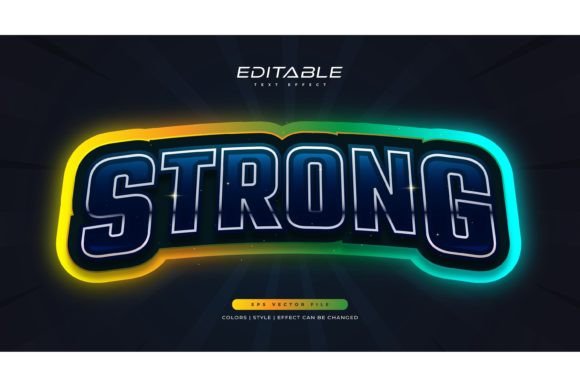
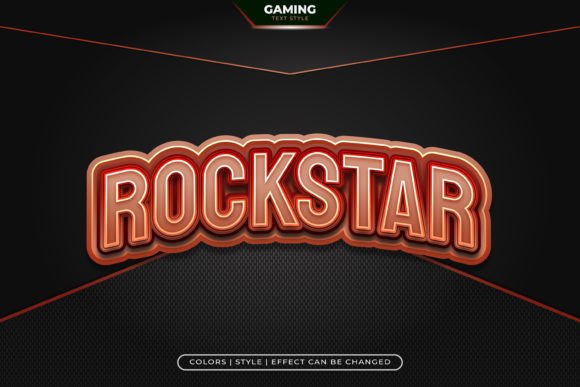
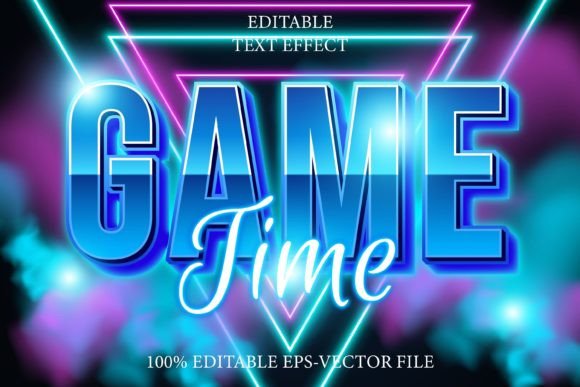
It's crucial to understand that the Game Time Editable Text Effect 3D Neon isn't a traditional typeface you install. Think of it as a sophisticated stylistic treatment, a powerful design asset that works within Adobe Illustrator. This distinction is key. You're not locked into a single set of letterforms. Instead, you apply this stunning 3D neon effect to virtually any font or shape you choose, from a bold display font to an elegant script font. The result is fully editable typography, giving you unparalleled creative control. You can change the words, adjust the underlying font's weight or style, and the compelling neon glow and three-dimensional depth remain, ensuring your message is always presented with maximum impact.
Where This Effect Truly Shines: Practical Applications
The versatility of a premium font effect like this is its greatest strength. It's not just for flashy headlines; it's a tool for creating distinct visual consistency and brand recognition across numerous touchpoints.
- Branding & Logo Design: A logo is the cornerstone of your identity. Applying this effect can give a startup, gaming channel, or nightlife brand an instant sense of modernity, excitement, and tech-savviness. It helps a brand stand out in crowded digital spaces.
- Social Media Graphics: Stop the scroll. Posts, stories, and ads using glowing, dimensional text naturally attract more engagement. Use it for promotional announcements, event countdowns, or simply to make your weekly quote graphic pop against the noise of a newsfeed.
- Packaging & Merchandise: For products targeting a younger, trendy demographic—think energy drinks, streetwear, or tech accessories—this style of packaging design communicates energy and cool. The same principle applies to designing merchandise like posters, t-shirts, and stickers.
- Web Design & Digital Products: Hero sections, promotional banners, and calls-to-action benefit immensely from increased readability and visual hierarchy. The effect guides the user's eye precisely where you want it, improving the overall user experience.
- Invitations & Editorial Layouts: For magazine covers, event posters, or digital invitations to a concert or launch party, the neon effect sets an immediate mood. It promises an experience that is vibrant, contemporary, and memorable.
Aligning Typography with Your Project's Heart
Choosing the right style is about more than just what looks cool. It's about communication. The Game Time Editable Text Effect 3D Neon Style carries a specific personality: energetic, modern, digital, and slightly futuristic. This makes it perfect for projects related to entertainment, gaming, music, technology, fitness, or any brand that wants to project innovation and excitement.
However, modern typography is about context. Pairing is critical. This bold effect will naturally dominate a composition. Balance it with a clean, neutral sans serif font for body copy to ensure overall readability. Avoid pairing it with other highly decorative or ornate fonts, as they will compete for attention and create visual chaos. The goal is harmony, where the neon effect serves as the standout headline, supported by quieter, functional typography.
Practical Considerations for Flawless Execution
Before diving into your next project, keep these practical points in mind to get the most out of this creative font effect.
- Test Your Base Font: Experiment with different typeface styles before applying the effect. A thick, rounded font will yield a very different result than a sharp, angular one. See which foundation best matches your brand's voice.
- Scalability is Your Friend: Because the source files are in Adobe Illustrator and EPS format, the effect is infinitely scalable to any size. Design a social media post and then use the same file for a large-format poster without any loss of quality. This is a huge advantage for maintaining professional presentation across all media.
- Review Licensing: Always confirm the commercial licensing terms of any design asset. This ensures you can legally use your creations for client work, merchandise for sale, and other commercial applications, protecting both you and your clients.
- Embrace Editability: Don't be afraid to tweak. The "100% editable" nature means you can adjust colors within the effect to match a specific brand palette, making it a true chameleon for your brand identity toolkit.
In the end, great design is about making intentional choices. A tool like the Game Time Editable Text Effect 3D Neon offers a specific, high-impact solution to a common design challenge: how to inject immediate energy and depth into typography. By understanding its nature as a versatile effect rather than a static font, and by applying it thoughtfully to the right projects with complementary design elements, you can elevate your work from simply seen to truly remembered. It’s about giving your words not just a voice, but a vibrant, glowing presence.