Kingdom Game Emblem with Text Effect: A Designer's Asset
You're working on a branding project for a new fantasy-themed mobile game. The client wants something that feels epic, ancient, and powerful, but you're staring at a blank artboard. Finding the right visual language can be the most challenging part of the design process. This is where a specialized asset like the Kingdom Game Emblem with Text Effect comes into play, offering a shortcut to a polished, thematic result without hours of manual layer styling and gradient experimentation.
Capturing the Epic Aesthetic for Modern Projects
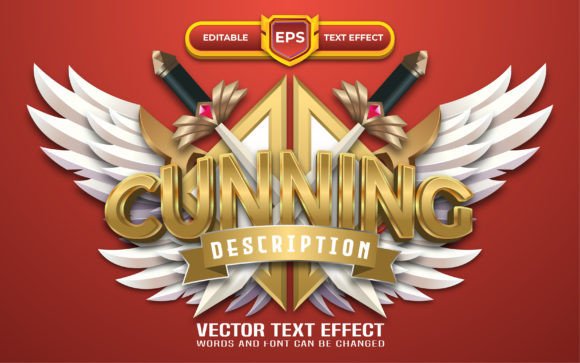
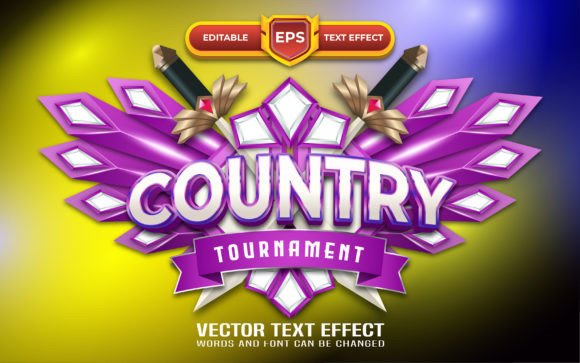
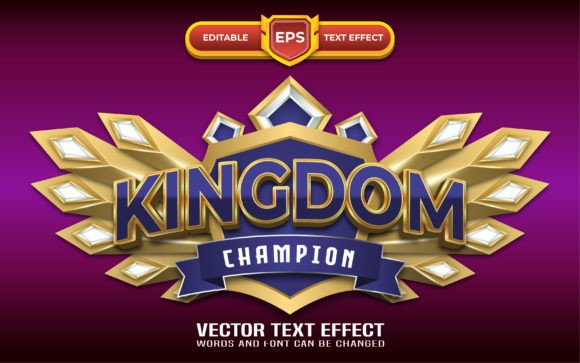
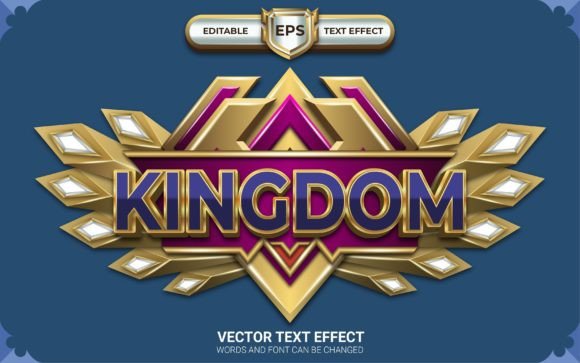
This text effect isn't just a fancy filter; it's a carefully crafted design tool built for Adobe Illustrator. It mimics the look of embossed metal, aged stone, or regal insignias often seen in high-fantasy games and movies. The visual appeal lies in its depth and texture. The effect creates a sense of three-dimensionality, making text appear as if it's carved or forged directly onto a surface. This immediate visual impact is crucial for projects that need to communicate strength, legacy, or adventure at a glance.
For a designer, the real value is in its editability. You're not locked into a static image. The entire effect is built with customizable layers and styles within Illustrator. This means you can apply it to any typeface you choose, from a bold serif font that feels traditional to a sharp sans-serif font for a more modern take on the fantasy genre. The color mode is set to RGB, making it perfectly optimized for digital screens, but it's robust enough for high-quality print work as well.
Practical Applications Beyond the Game Screen
While the name suggests a gaming focus, the applications for a premium font effect like this are surprisingly broad. Think about the branding needs of a local escape room, a podcast about mythology, or a craft brewery specializing in ales with medieval names. The emblematic style translates beautifully across various mediums.
For social media graphics, this effect can stop the scroll. A post announcing a new product launch, a special event, or a seasonal sale gains instant authority when the headline features this textured, dimensional look. It works exceptionally well for Instagram stories, Facebook cover images, and Twitter headers, providing a consistent and recognizable visual hook for your audience.
In print materials, the effect shines. Imagine a poster for a community theater production of a Shakespearean play, a flyer for a local Renaissance fair, or the cover of a fantasy novel. The emblem style provides a built-in focal point that guides the viewer's eye. It eliminates the guesswork in creating a professional, thematic layout for editorial design or packaging design for products that want to convey a story or a sense of heritage.
Streamlining Your Design Workflow
One of the biggest hurdles in design is time. Crafting a complex text effect from scratch in Illustrator involves multiple steps: creating outlines, applying multiple appearance attributes, experimenting with gradients, and adjusting lighting. This asset condenses that process. You receive clean, organized .ai and .eps files, along with a helpful guide to get you started.
The fact that it uses 100% free fonts is a significant practical advantage. You won't run into unexpected licensing issues when using the effect in commercial projects, which is a common headache for freelancers and small business owners. The included help file ensures you can dive right in, even if you're not an advanced Illustrator user. This focus on usability makes it a valuable part of any designer's toolkit of design assets.
Enhancing Brand Identity and Recognition
Consistency is the cornerstone of strong brand identity. If a business's visual language is all over the place, it confuses the audience and weakens recognition. Using a consistent text effect across all platforms—from website banners to email newsletters to physical signage—creates a cohesive visual thread. The Kingdom Game Emblem with Text Effect provides a distinct stylistic element that can become synonymous with a brand's voice, especially if that brand operates in the entertainment, gaming, lifestyle, or artisanal product space.
It helps improve professional presentation. A small business or content creator using this effect immediately looks more established and serious about their craft. It signals to the audience that attention has been paid to the details, which can build trust and encourage engagement. The effect acts as a visual shorthand for quality and thoughtfulness.
Tips for Effective Implementation
To get the most out of this asset, consider a few practical points. First, test font pairings. While the effect looks good on many fonts, pairing a bold emblem header with a clean, simple body font creates a balanced hierarchy. A heavy serif emblem paired with a lightweight sans-serif for body text often works well, ensuring readability remains high.
Second, think about the context. The effect is powerful, so use it strategically. It might be perfect for a hero banner on a website or a main title on a poster, but it could overwhelm a small sidebar or a lengthy paragraph. Use it as an accent to highlight key information or titles, not as the default for all text.
Finally, remember the color. The RGB color mode is vibrant on screens, but if you're sending designs to print, ensure you convert the color profile to CMYK and do a test print to see how the metallic or stone textures translate to paper. The editability allows you to adjust the color palette to match any brand's specific guidelines, making it a versatile tool for any logo design or marketing campaign.
This text effect is more than just a decorative tool; it's a problem-solver for designers and creators who need to evoke a specific, powerful aesthetic efficiently and effectively. It bridges the gap between a creative vision and a professional, polished final product.